A pro-tip for birth family search and AI document translation.
Image: Unsplash Stock.
A pro-tip for birth family search and AI document translation:
If you are looking up the names of an orphanage or other location mentioned in your Korean Adoption Agency files, don't just Google the Romanized / English name of the location name (such as for totally FAKE, meaningless example, “Namhwon Jesawan”).
This is because the Romanization of Hangul / Korean words was never really standardized, and Korean social workers may have translated Hangul / Korean words to English in very different ways. Also the Romanization may have changed over time.
You ALWAYS want to go back to your ORIGINAL KOREAN documents.
This is because we came from Korea — where, guess what — they speak KOREAN! So you need to figure out the original KOREAN text to search for online!
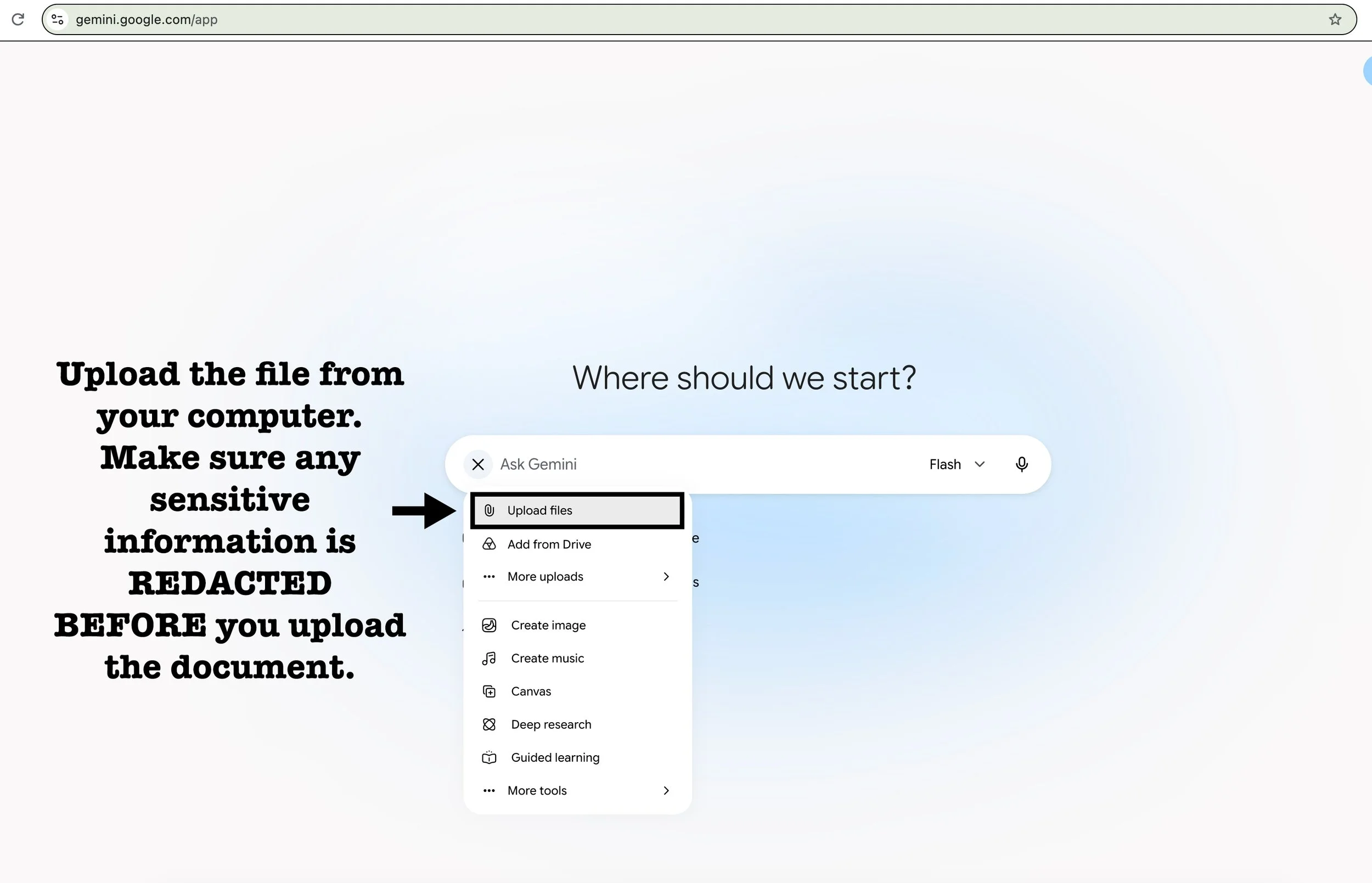
You can now easily upload documents to Google Gemini (or other AI program) for translation.
Be sure to REDACT any sensitive information BEFORE you upload your documents to Google Gemini, ChatGPT, or any other AI program.
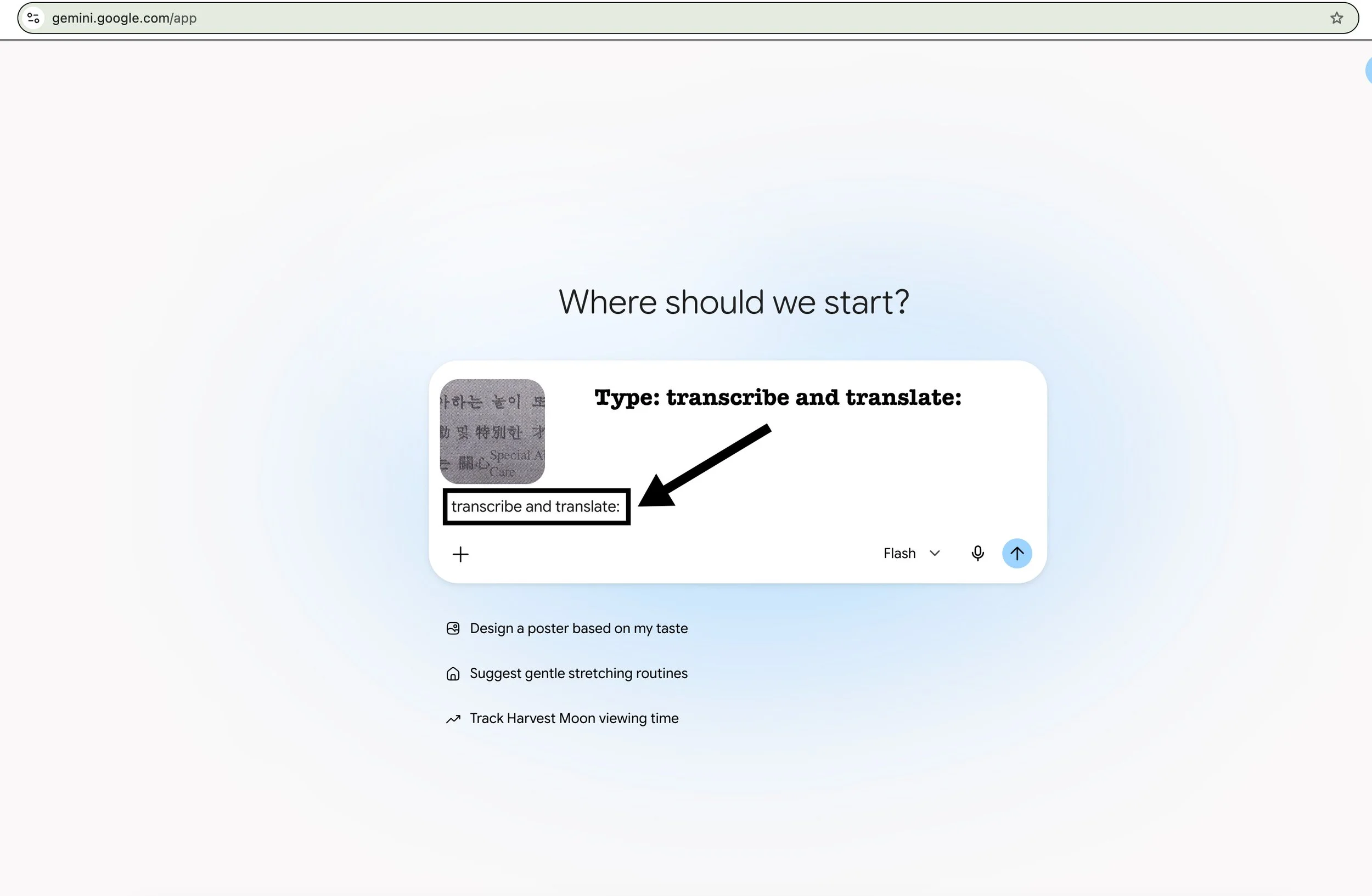
Try to figure out the original Hangul / Korean orphanage names / place name / addresses / names / etc. by uploading documents to Google Gemini (or other AI program) and typing:
Transcribe and translate:
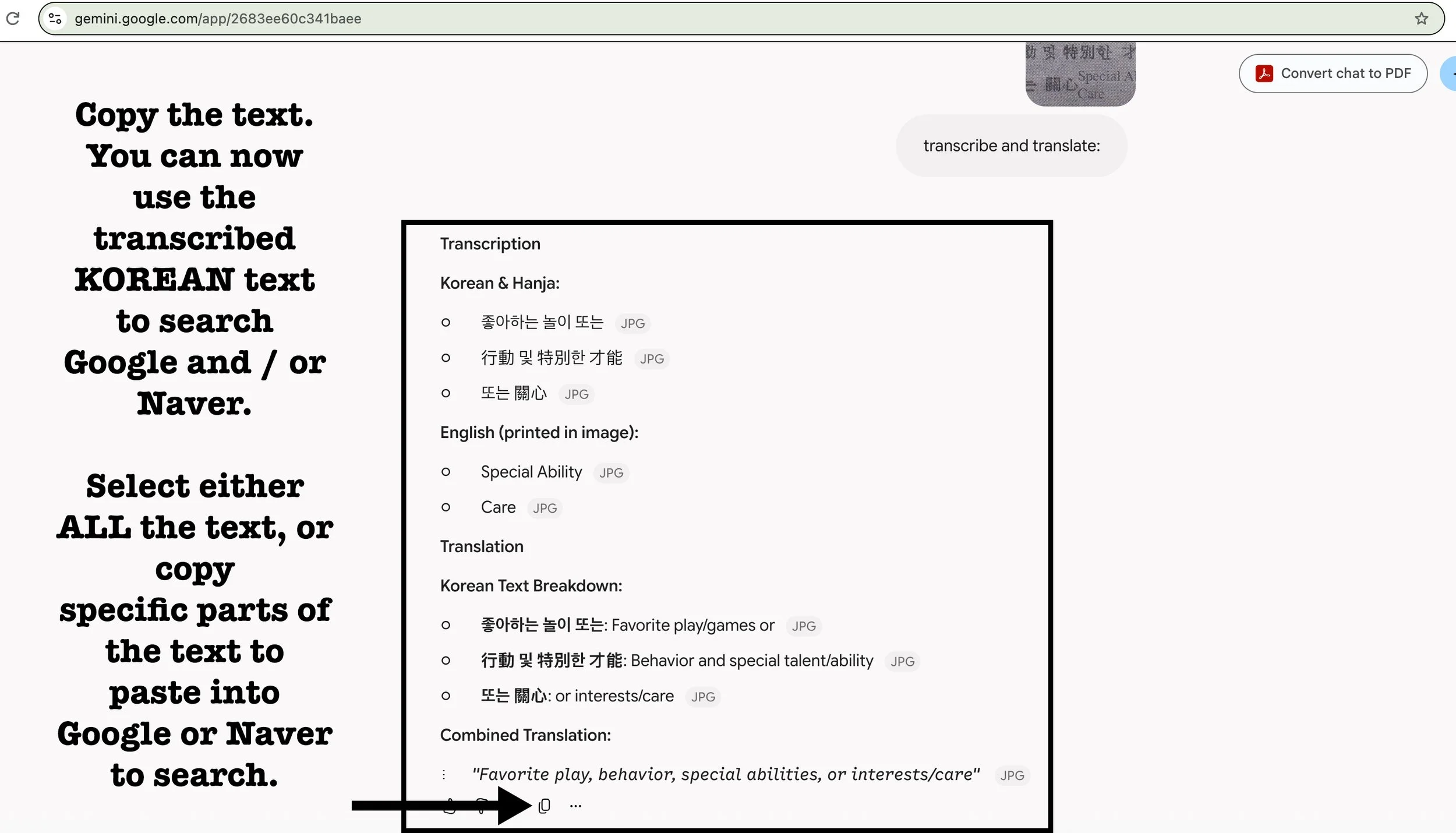
Google Gemini (or other AI program) will then give you the TRANSCRIBED Hangul / Korean text AND a TRANSLATION.
This way, you get a version of the original Hangul / Korean text which you can then COPY / PASTE into a search engine like Google or Naver (Korean Google) to SEARCH for the HANGUL / KOREAN text — instead of JUST the English Romanization of the original Hangul / Korean word.
See?
Try it! Here is a tutorial:
Try uploading screenshots of non-sensitive adoption documents in Korean and / or Hanja to Google Gemini for translation.
PLEASE NOTE!
Please NEVER 100% rely on ANY AI translation of Korean text! Please get any important place names / formal names / addresses etc. CONFIRMED by a REAL KOREAN TRANSLATOR! Otherwise, you may waste your time and money chasing down some bad rabbit holes.
AI translators often get GENDER wrong as well.
But Google Gemini and other AI programs are getting much better at translation.
It’s a great starting point.
Just be sure to show COPIES of any adoption documents you have to anyone who helps you with birth family search. Never show them just your AI translations or just your notes! The ORIGINAL ADOPTION DOCUMENTS are KEY!!!